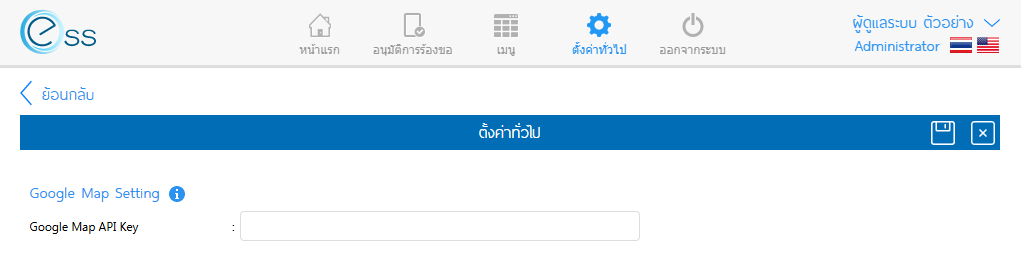
การนำ Key ของ Google Map API ใน Google Cloud มาใช้งาน
1. เข้าเว็บไซต์ https://console.cloud.google.com และ Login ด้วยอีเมลที่ใช้จัดการบัญชีดังกล่าว
2. สร้าง Project สำหรับ Google Map API ให้ทำการเลือก Select a project > New Project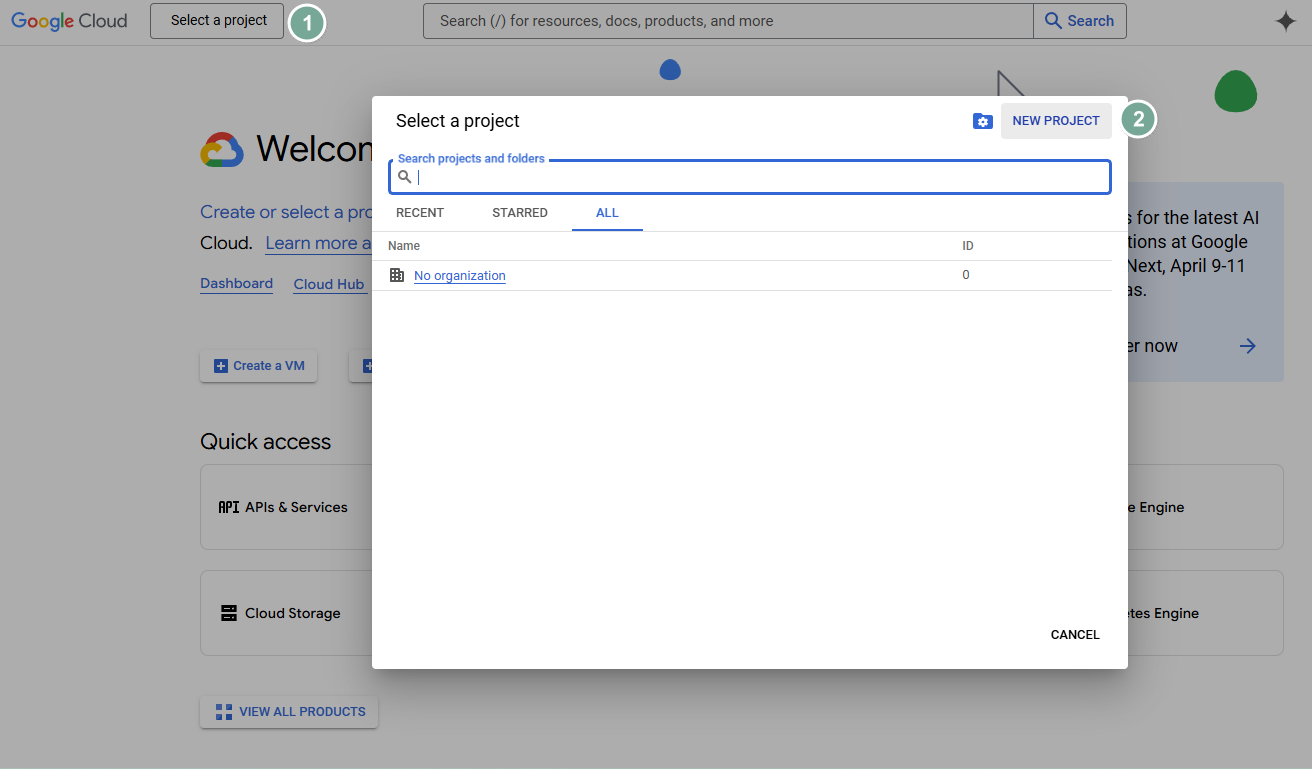
3. จากนั้นให้ตั้งชื่อ Project name เช่น “ESS Pro” แล้วทำการกด Create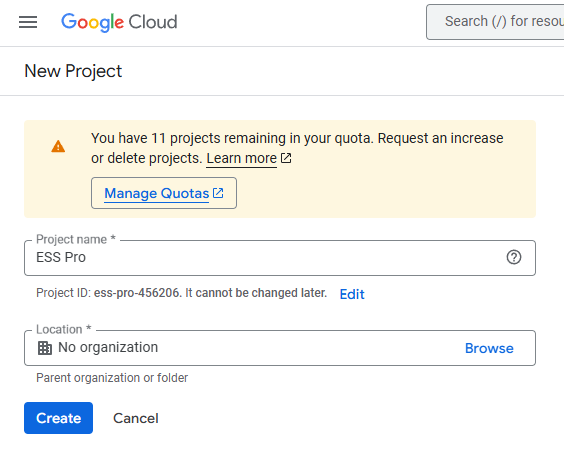
4. เมื่อเข้าสู่ Project ที่สร้างไว้ ให้เลือกเมนู “APIs & Services > Enable APIs and services”
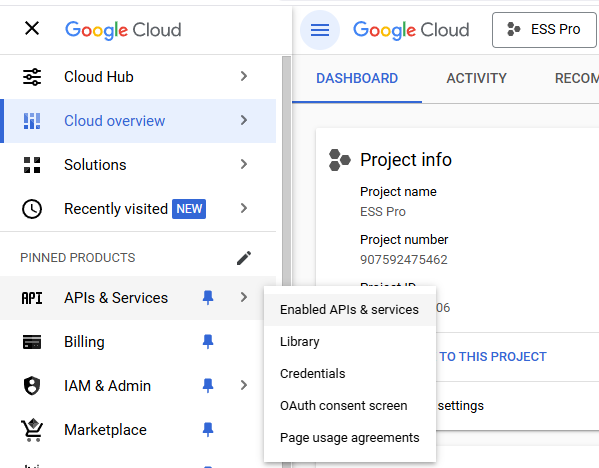
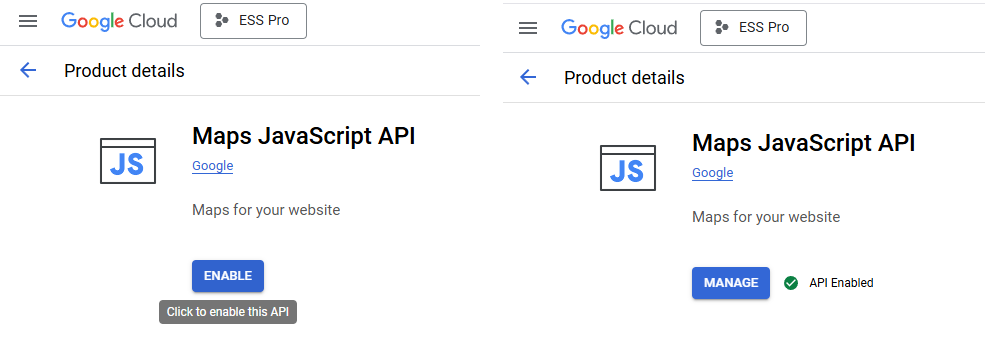
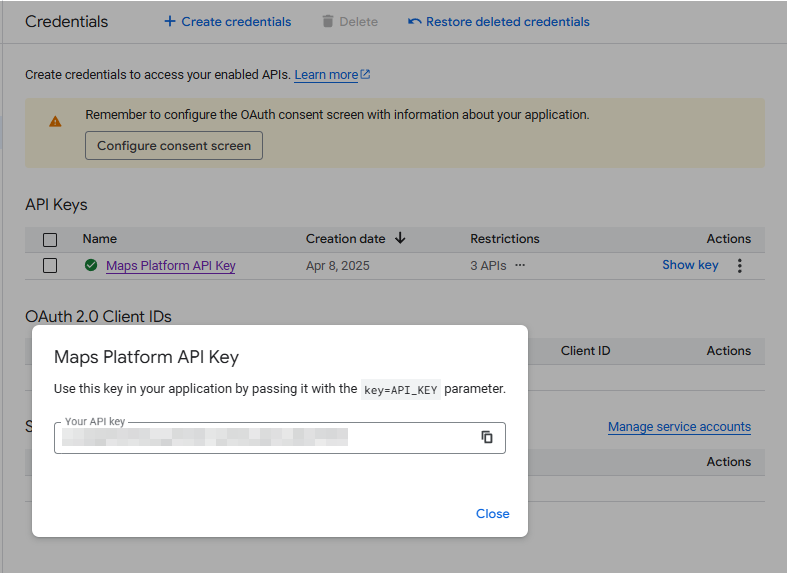
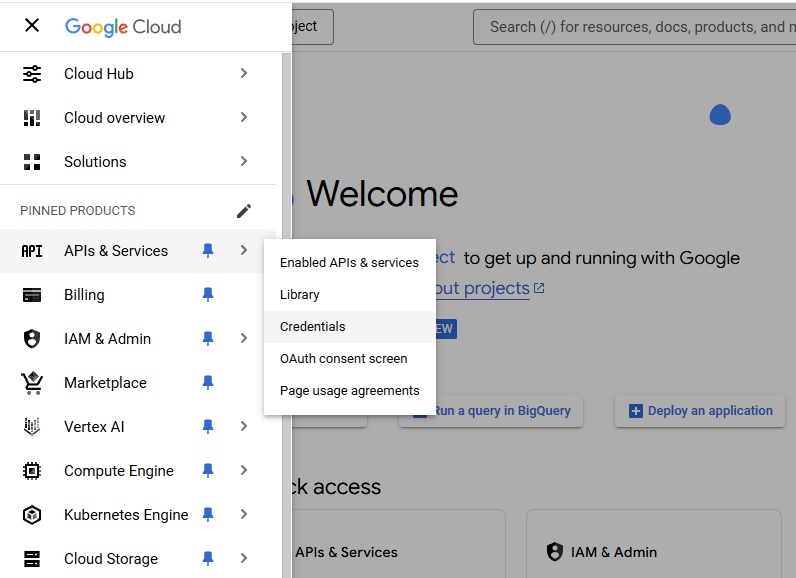
6. เลือกเมนู APIs & Services > Credentials
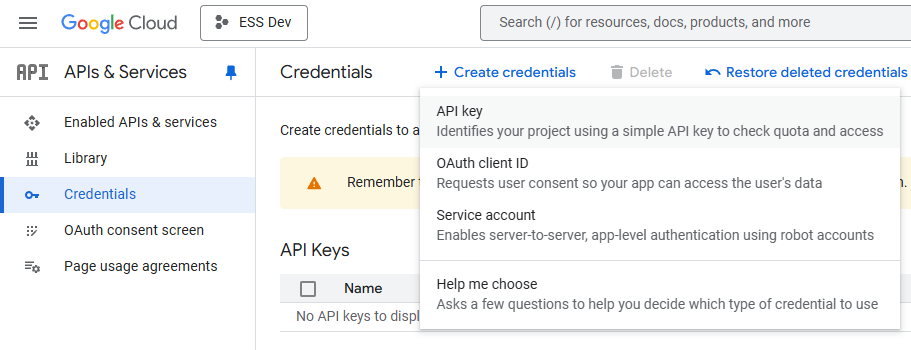
7. จากนั้นเลือก Create credentials > API Key
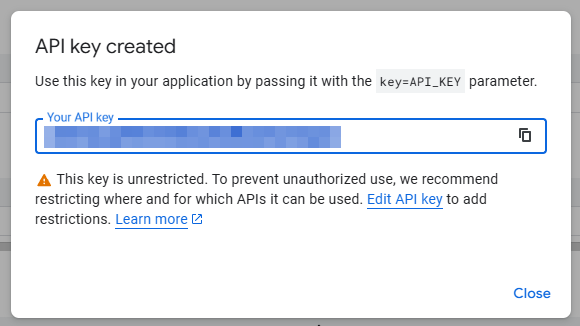
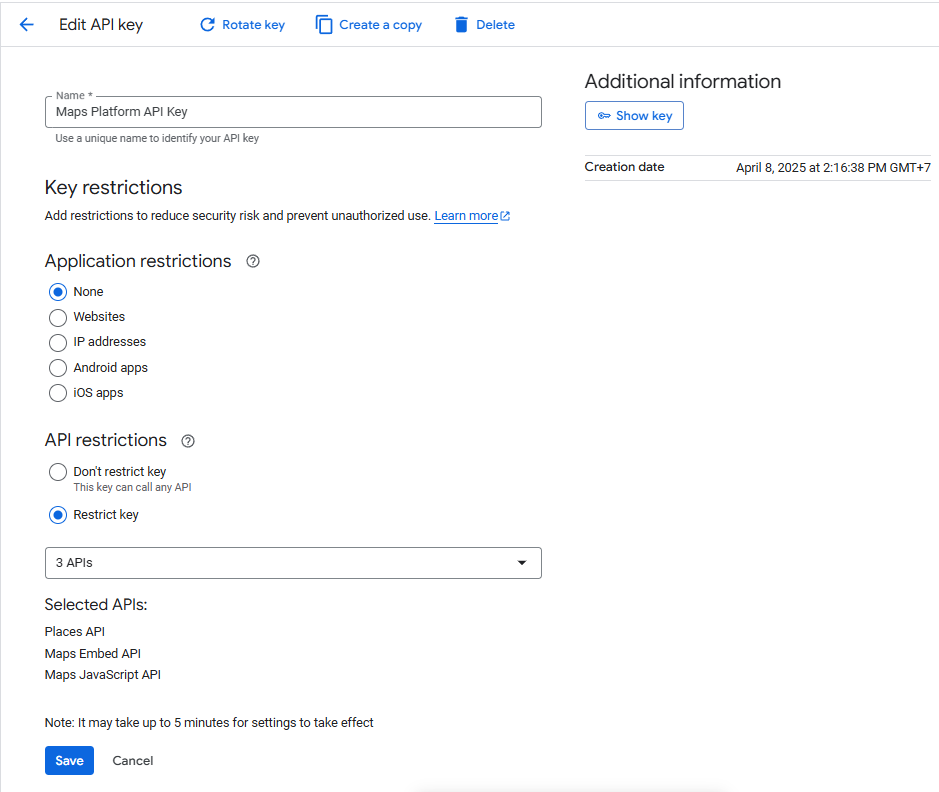
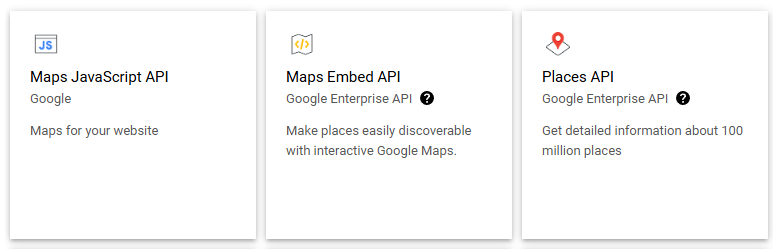
กรณี Selected APIs ไม่มี Maps JavaScript API และ Places API (New) ให้เลือก
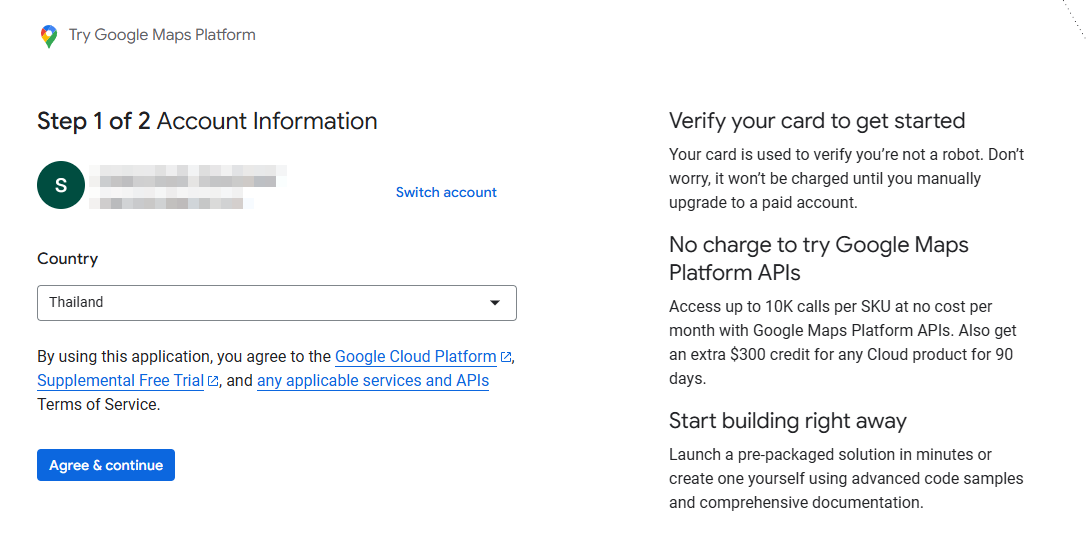
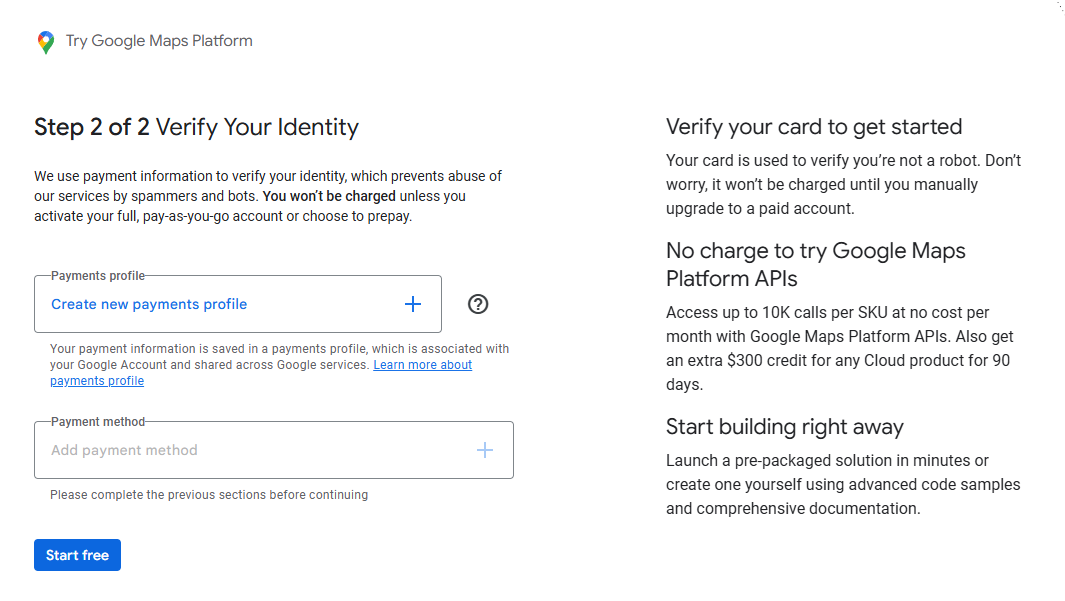
ให้ทำการตั้งค่า Payments, Billing Management ก่อน